Modern Workplace Transformation: SCCM to Intune, Citrix to Azure Virtual Desktop, and AD to Entra ID
Three of the most common transformation programmes running in enterprise IT right now look like entirely separate projects. Moving from SCCM to Intune, from Citrix to Azure Virtual Desktop, and from Active Directory to Entra ID involve different technologies, different teams, and different vendors.
In practice, they fail for the same reason: nobody has a complete, current picture of the estate before the migration starts. In this webinar, I was joined by Ben Cook of Management Studio to walk through three real programmes and demonstrate how the underlying discovery problem gets solved. The full recording, including Ben's live demonstration, is embedded below.
What do SCCM, Citrix, and Active Directory migrations have in common?
The blocker is the same in all three: years of accumulated technical debt, spread across multiple tools and an unknown number of spreadsheets. When the source data is fragmented, teams fall back on manual processes, project risk rises, and the experience degrades for the IT team running the migration and for end users alike. The technologies differ, but the required outcomes do not: better visibility, greater automation, lower risk, and faster delivery.
How much of a migration turns out to be unnecessary?
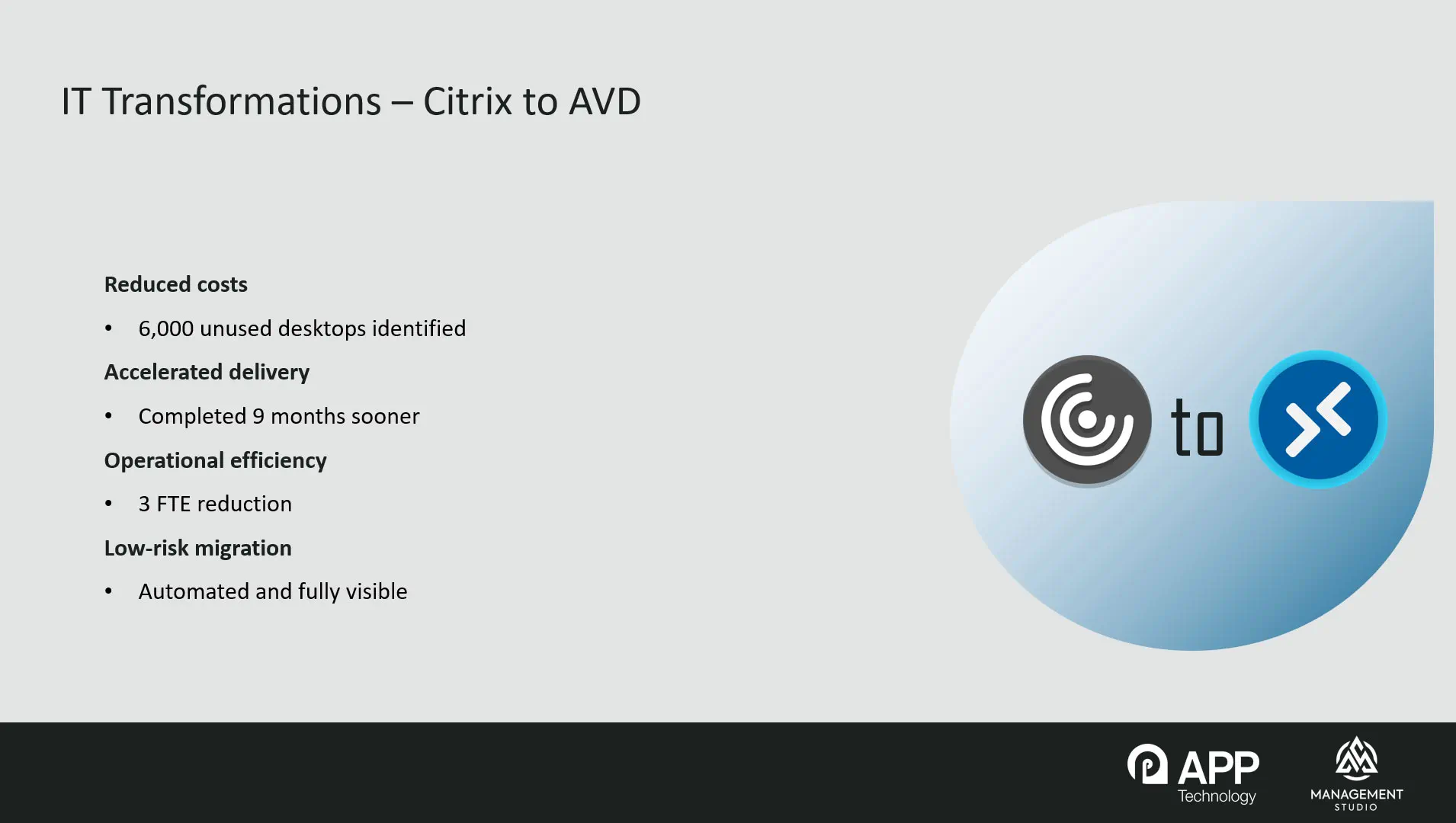
Frequently a great deal of it. On a Citrix to Azure Virtual Desktop programme at a large bank, the original scope was roughly 20,000 Citrix desktops. Analysing actual usage data before migration began showed that around 6,000 of those desktops were no longer actively using Citrix at all. That is close to a third of the programme removed at the outset, with the licensing benefit realised immediately rather than at the end. This is the single strongest argument for treating discovery as the first phase of a migration rather than an administrative preliminary.
What difference did automation make on the Citrix to AVD programme?
It compressed the timeline substantially. By automating user communications, application readiness tracking, Active Directory updates, and AVD provisioning, the migration team completed the programme around nine months faster than they had projected using traditional deployment methods. Replacing spreadsheets and manual analysis with a single real-time view also reduced the administrative burden enough that the team was reduced by roughly three FTEs, producing a recurring monthly saving of roughly £15,000 on top of the licensing benefit.
Why is migrating from Active Directory to Entra ID harder than it first appears?
Because the difficult part is rarely the migration itself. On an AD to Entra programme at another bank, the organisation had two legacy Active Directory domains that had been accumulating for roughly 20 years, holding around 15,000 users along with thousands of groups and permissions. The real challenge was understanding what those domains actually contained. Pulling the data from both domains into a single, continually refreshed data set made it possible to identify redundant accounts and obsolete groups, cleanse the environment first, and migrate forward only what was genuinely needed. Without that step, two decades of technical debt simply gets carried into the new tenant.
What does an SCCM to Intune migration look like in practice?
At Brunel University, around 6,000 devices were migrated as part of a modern workplace transformation. The approach was to consolidate SCCM, Active Directory, and other data sources into a single view of users, devices, and applications, establishing what was genuinely in scope. That data then drove intelligent planning: prioritising which applications were actually needed and grouping them into logical migration waves so that the right people received the right applications at the right time. User communications, deployment scheduling, progress tracking, and reporting were handled through one platform throughout.
How do you discover an estate without deploying an agent?
Through connectors that read from the systems already in place. Management Studio connects to on-premises sources such as Active Directory, SCCM, and MECM, and to cloud services including Entra and Intune, taking daily feeds without requiring any agent on endpoints. Flat file sources matter more than people expect: HR data and prior audit work frequently arrive as CSV, Excel, or plain text, and those can be ingested automatically on a schedule rather than imported by hand. Where data is genuinely missing, user surveys fill the remaining gaps.
How do you make sense of application data from multiple sources?
Through normalisation. Software vendors do not use consistent naming standards, and even a single vendor's products will appear under numerous variations of the same name across an estate. The Asset Confidence Engine (ACE AI) auto-normalises vendor names, product names, and versions so that the data becomes comparable, and it generates application categories and descriptions to speed up understanding of what is actually present. This has to happen early, because until naming is consistent, the true scope of the project cannot be established.
How do you decide which applications to keep?
With confidence ratings drawn from real decisions. Anonymised decisions made by other organisations using the platform are aggregated, so when an application is presented for review, it carries a percentage showing how many comparable customers kept it. An application with an 86% confidence rating tells you the overwhelming majority of other estates treated it as legitimate and in scope. The same works in reverse for applications typically rejected. Sorting applications is usually the slowest part of any migration, because it pulls in the apps team, procurement, licensing, and application owners, so anything that shortens that cycle moves the whole programme forward.
What happens to users when application versions are consolidated?
They are carried forward automatically. When multiple versions are rationalised down to a single supported version, every user linked to the older versions is forward-pathed onto the surviving one. In the demonstration, a set of Adobe Reader versions ranging from version 18 upwards was consolidated with a 95% confidence rating, and the users attached to each older version were reassigned to the latest in the same operation. The practical benefit arrives at deployment, when you already know precisely who requires each application.
How do you work out which applications to tackle first?
Using a projection report. Rather than working alphabetically or by vendor, the projection report calculates which applications, completed in which order, will make the greatest number of users migration-ready fastest. Set an assumed delivery rate, for example 25 applications per week, and a forecast window, and it returns a week-by-week work plan. In the worked example covering an EMEA population, 25 applications made 25 users ready, 50 applications made 206 users ready, and by week three roughly half the population was ready. Each week's view lists the specific applications the packaging team should target.
Can end users speed up their own readiness?
Yes, and this is one of the more underused options. A user app review survey presents each person with the applications the data suggests they need, and lets them untick anything they no longer use. Someone confirming they have not opened an application in years removes it from their requirements immediately, advancing their readiness without the applications team doing any work at all. Run early in a programme, this measurably shortens the critical path.
How do you know who is ready to migrate today?
With real-time readiness reporting. The projection report forecasts; the readiness report shows the live position. Presented as a RAG report, it shows each user's required applications and how many have reached live status, so a user needing 12 applications with three ready shows as 25% ready. Readiness can then trigger action automatically, such as emailing a user to invite them to self-schedule their migration slot once all their applications are available.
What does the deployment stage automate?
The mechanical work. Automation can trigger actions in Intune, add users or devices to Active Directory groups at a defined point in time, run OS and application deployments, and issue communications. An engineer's portal gives field staff a simple view of who is arriving, who has recently migrated, and what actions each handover requires, including device returns and reassignment based on audit history. Dashboards report progress to stakeholders throughout.
What is covered in the full recording?
The recording includes Ben's complete demonstration of ACE AI normalisation and rationalisation, the projection and readiness reports, the user app review survey, self-scheduling, the engineer's portal, and the progress dashboards. Watch the embedded video above for the full walkthrough.
ManagementStudio Case Studies
Read/download the case studies referenced in the webinar
CASE STUDY. A large-scale shift to Microsoft’s modern workspace was required to enable Brunel University to maintain its position at the top-end of the education sector.
CASE STUDY: UK Financial Organisation Completes Strategic Active Directory Migration with ManagementStudio
CASE STUDY: UK’s Leading Bank Shaves Nine Months off Citrix to Microsoft Azure Virtual Desktop Migration with ManagementStudio
Are you prepared for an IT migration?
If you have a transformation programme approaching, we can carry out a high-level assessment of your current estate free of charge
Schedule a Free Assessment